Samsung’s “Battery Life Extender” is a neat feature aimed at keeping your laptop battery healthy for longer, but sadly, it’s not out-of-the-box ready for Linux. In this post, I’ll walk you through the reverse engineering adventure, figuring out the nuts and bolts of this feature using an undocumented SMBus protocol, and how we can make it work on Linux by whipping up a kernel driver and hooking it up with TLP.
But why???
I bought this laptop here, to replace the screen of my other one.
Keep in mind, I bought this long ago, when this was the modern reasonable option for budget laptops.
It served me well for many years, and still did days ago, when I installed Arch on it while my other laptop was in maintenance.
Messing aroung upower, I saw some things “charging start treshhold”
Remembred the Battery Life Extender, from Samsung and wondered how did this work
This is the journey on how I discovered and documented the whole process.
Our goals
- Reverse enginner Samsung Settings and the “Battery Life Extender” feature
- Replicate the same protocol in Linux
- Create a kernel driver
- Integrate to tpl
Docs and stuff
- Manuals & Software - https://www.samsung.com/br/support/model/NP270E4E-KD8BR/#downloads
How does it work?
It issually works by communicating though an undocumented protocol via a proprietary windows app.
Normally, there is battery controller that recieve this data and limits the current.
This is done via SMBus, a lighweight
protocol to comunicate to the motherboard.
But there is a problem, in Windows, this is done in Ring 0,
a mode restricted only to the Windows Kernel and exposed soly to “trusted” applications.
This is because the lower the level, the more “fine grained” and unbrestricted access you get in ring-0, to the memory of the hardware itself.
All that said, we need to understand how Samsung does it, and then replicate it.
Reverse engineering is hard
It would be almost impossible to understand the protocol without reverse enginerring
what they do, we could even damage our hardware sending random SMBus, so let’s
use as basis what Samsung already does.
If I remember corertly, this setting is in an application called “samsung Settings”, and we need Windows 8 for that (the versione laptop came with).
Let’s download and install it…
Done!
Now to samsung settings. This is the page that has all the software for this laptop
From all, the most promissing is this “Battery manager” thing.
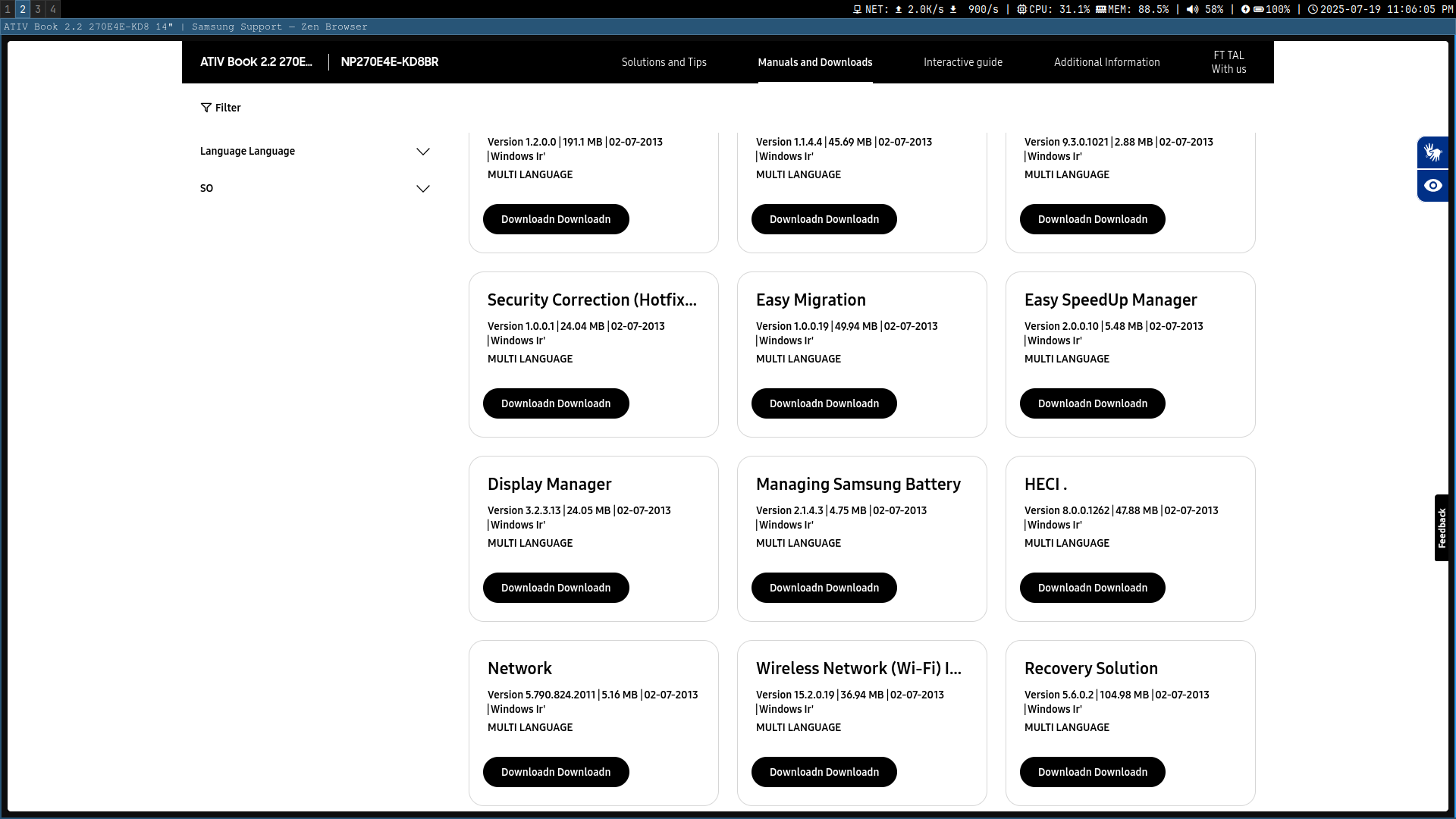
Downloaded, let’s install.
Image of the install wizard
A simple enough install, process and… No bueno! It seems a driver is missing.
Maybe the update plus will help? I certanly hope so!
Installed, lets open!
Image of update plus ter
A bunch of terms I’ll never read. Alright…
Network error image
Oh, snap. See, this is the problem with older sofware, they disable their servers and you end up in a corner…
Let’s try something else. Easy settings direcly, maybe?
Image of the zip contents of easy settings
Long ago, when programs used to come with two different apps, one for W8 and another for W7. I don’t miss it at all.
How can we reverse enginner this?
One trick up our sleeve is we know which protocol is used to communicate to the battery controller, but we also know its restricted to the “admin” (ring 0).
Here comes RWEverything to the rescue.